Fewer Holes, More Freedom? The Case For (and Against) Killing Your Device's Ports
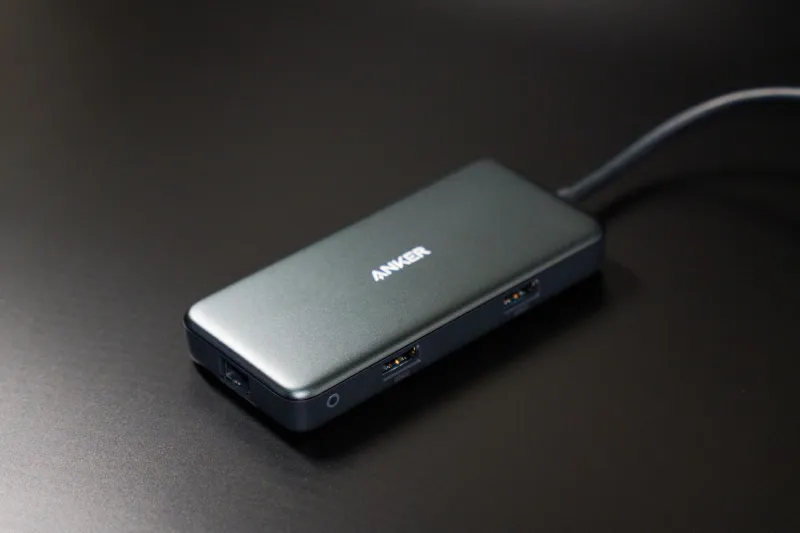
There's a moment every tech enthusiast knows too well. You're at a coffee shop, ready to transfer files from an SD card, plug into a wired display, and charge at the same time — and your shiny new device has exactly one USB-C port staring back at you. Maybe two if you got lucky. Welcome to the port-consolidation era, where the industry has collectively decided that fewer openings in your device's chassis is somehow a feature worth celebrating.
But here's the thing: it's not entirely wrong.
How We Got Here
The slow death of legacy ports didn't happen overnight. Apple arguably fired the first major shot when it stripped the headphone jack from the iPhone 7 back in 2016 — a move that was mocked relentlessly at the time but has since become industry standard. Then came the MacBook Pro era that briefly shipped with nothing but USB-C ports, making early adopters feel like they needed a bag full of adapters just to connect a thumb drive. Tablets followed suit, handheld gaming devices trimmed their I/O, and now even some Windows ultrabooks are shipping with just a pair of Thunderbolt 4 ports and calling it minimalism.
The driving force isn't purely aesthetic, though aesthetics definitely play a role. Each physical port is a structural compromise — it requires space inside the chassis, creates potential ingress points for dust and moisture, and adds weight. For devices engineered to live in your pocket or backpack, every millimeter and gram matters. Designers aren't removing ports out of spite; they're making calculated tradeoffs.
"Every cutout in a device's enclosure is a negotiation," says one industrial designer who's worked on tablets for a major US tech brand and asked not to be named due to NDA restrictions. "You're trading off structural rigidity, waterproofing capability, and internal component real estate every single time. When wireless standards caught up to the point where most everyday tasks don't require a cable, the math changed."
The USB-C Consolidation Play
USB-C has become the Swiss Army knife of connectivity — in theory, at least. A single port can handle power delivery, high-speed data transfer, video output, and audio, depending on the implementation. Thunderbolt 4 and USB4 push that even further, enabling daisy-chained displays, external GPUs, and multi-device docking through a single cable. For a device like a handheld PC or a compact tablet, that's genuinely compelling.
The iPad Pro's shift to USB-C (and eventually Thunderbolt) was a practical upgrade for creative professionals who wanted to pipe footage directly off a camera or connect to a studio monitor. The Steam Deck's single USB-C port handles charging and display output simultaneously through a dock, which works surprisingly well for a gaming handheld that occasionally moonlights as a desktop.
Wireless connectivity has also matured to a point where it's filling gaps that would've required cables five years ago. Wi-Fi 6E and Wi-Fi 7 are fast enough for most file transfers that used to demand a wired connection. Bluetooth audio has gotten good enough — finally — that cutting the headphone jack stings less than it once did. And technologies like AirDrop, Nearby Share, and cross-platform tools like LocalSend mean you can move files between devices without ever touching a cable.
The Dongle Tax Is Real
Here's where the counterargument gets teeth. The wireless future isn't evenly distributed, and not every use case has caught up to the vision. If you're a photographer shooting RAW files on a compact mirrorless camera, you still need an SD card reader. If you're presenting at a conference room with an HDMI projector, you'd better have an adapter. If you're a developer who needs to sideload apps onto a device or pull logs via a wired ADB connection, a single USB-C port suddenly feels very lonely.
The dongle ecosystem that's sprung up to fill these gaps is functional but annoying. A quality USB-C hub with HDMI, USB-A, SD card, and Ethernet runs anywhere from $30 to $80 depending on the brand and throughput specs. That's not catastrophic, but it's an accessory tax on top of a device you already paid a premium for. And anyone who's ever forgotten their hub at home knows the specific frustration of being fully capable in theory and completely stuck in practice.
"The people designing these products use them in controlled environments," one power user on a popular tech forum put it bluntly. "They're not hauling gear to a client site in the middle of nowhere where the Wi-Fi is garbage and they need to pull files fast."
That tension — between the sleek device experience the manufacturer imagined and the messy reality of professional workflows — is where port consolidation gets genuinely complicated.
Building a Dongle Strategy That Doesn't Drive You Crazy
If you've accepted that your next device is going to ship with minimal I/O, the smartest move is building a tiered accessory setup rather than a single catch-all hub.
For daily carry: A slim USB-C to USB-A and HDMI adapter — something flat enough to live in your laptop sleeve permanently. Anker and Satechi both make compact options that don't add much bulk.
For the desk: A proper Thunderbolt or USB-C dock that stays connected to your monitor, keyboard, and Ethernet. One cable plugs your device in and it's fully connected. This is actually where the single-port approach shines — it's legitimately cleaner than managing a tangle of individual cables.
For travel: A multi-port hub with SD card support and at least one USB-A for legacy devices. Keep it in your bag permanently so you're not scrambling before a trip.
The key insight is that you're not replacing your ports — you're relocating them. The flexibility is still there; it just lives in your bag now instead of your device.
So Is It Actually Smart?
Honestly? For most people, most of the time — yes. The average person using a tablet for media consumption, light productivity, and video calls doesn't need a battery of ports. They need a charger and maybe a wireless keyboard. Port consolidation makes those devices thinner, lighter, and more water-resistant, which are real-world benefits that show up every day.
For power users, the picture is messier. The promise of USB-C universality is real, but the implementation is still inconsistent enough that you can't always trust a port to do what you need it to do without checking specs first. Not every USB-C port supports video output. Not every Thunderbolt cable is actually Thunderbolt. The standard is capable; the execution is still catching up.
The port-consolidation trend isn't going to reverse. If anything, the next few years will push further toward wireless-first design as Wi-Fi 7 rolls out and Bluetooth continues to improve. The question isn't whether to fight it — it's whether you've got the right accessories to make it work for your actual life, not the idealized one the product renders show.