Why the Way Your Device Feels in Your Hand Matters More Than Its Spec Sheet
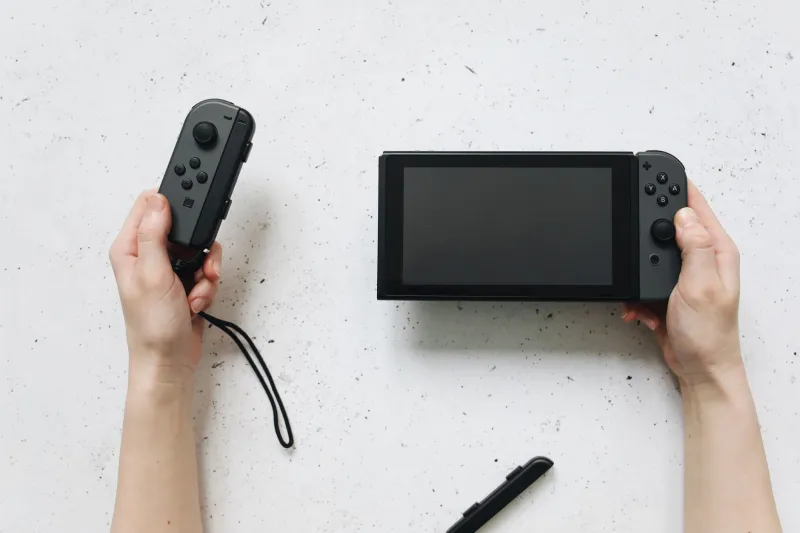
Here's a scenario. You're 90 minutes into a gaming session on your handheld. Your character keeps dying at a part of the game you know you can handle — you've cleared it before. Your thumbs feel vaguely numb. You're making small input errors you wouldn't normally make. You blame the game's difficulty spike, or your own focus, or maybe the controller layout.
But here's what's actually happening: your device's physical design is taxing your hands in ways you're not consciously aware of, and that fatigue is showing up as degraded performance. Not in a benchmark. In the real world, where it counts.
This is what we're calling the grip tax — the hidden performance cost you pay every time you pick up a device that wasn't designed with your hands in mind. And it's more significant than most people in the tech space want to admit.
The Ergonomics Nobody Benchmarks
Technology journalism is obsessed with measurable numbers. Frame rates. Processor speeds. Battery capacity in milliamp-hours. These things are easy to compare in a table. But nobody publishes a "thumb fatigue index" or a "grip pressure score," even though these factors directly determine how well you'll actually perform on a device over extended use.
Human hands are remarkably sensitive instruments. The way you hold a device affects blood circulation in your fingers, the muscle groups you engage in your forearms, and the micro-adjustments your thumbs make to maintain accuracy on analog sticks or touchscreens. When a device's weight is poorly distributed — too heavy at the top, for example, or unbalanced toward one side — your hands compensate constantly, burning energy and building fatigue you don't consciously register until it's already affecting your performance.
Grip texture is another underappreciated variable. Smooth glass or polished plastic backs require you to grip harder to maintain control, which increases the muscle engagement in your hands over time. Matte finishes, rubberized coatings, and textured plastics allow a more relaxed grip with the same level of security. After two hours, that difference in grip pressure accumulates into measurable hand fatigue.
We spent several weeks testing this across a range of devices — gaming handhelds, pocket PCs, and large-screen smartphones used with gamepads — and the differences were not subtle.
The Gaming Handheld Divide
In the handheld gaming space, the ergonomic gap between manufacturers is striking once you start paying attention to it.
Devices that were designed from the ground up as gaming handhelds — your Vitas and Switch successors and the current generation of Windows gaming portables — generally show evidence of actual human factors testing. The grip curves are shaped around natural hand positions. Buttons are placed at angles that minimize lateral thumb movement. Triggers are contoured to fit a resting index finger without requiring you to curl awkwardly.
Devices that started as smartphones or generic portable PCs and then added gaming features tend to struggle here. The button placement often feels like an afterthought, because it was. The grip depth — how much of the device your hand actually wraps around — is frequently too shallow, forcing you into a claw-like hold that becomes uncomfortable quickly. The weight is often centered too high because that's where the battery and processing hardware live, creating a top-heavy feel that your wrists compensate for constantly.
After 30 minutes of gameplay, these differences feel minor. After two hours, they feel significant. After a long gaming weekend, you'll know exactly what we mean.
Materials and the Perception of Quality
Here's something that doesn't get discussed enough: the material a device is made from affects not just how it feels, but how it performs in your perception.
Glass backs look premium in marketing photos. In actual use, they're thermal conductors that get uncomfortably warm during sustained workloads, and they demand a death grip to prevent drops. Polished aluminum has the same problem — beautiful, but slippery and cold to the touch in air-conditioned offices.
Plastic gets a bad reputation, but engineering-grade polycarbonate with the right texture is genuinely one of the best materials for handheld devices. It's light, it flexes slightly rather than cracking, it doesn't conduct heat to your hands, and a matte finish provides natural grip resistance without requiring a case. The reason plastic fell out of fashion isn't that it's inferior for handheld use — it's that it photographs poorly compared to glass and metal, and the spec-sheet arms race in marketing made "premium materials" a selling point regardless of functional merit.
The best ergonomic designs in our testing weren't always the most expensive devices. Some mid-range handhelds with textured plastic bodies consistently outperformed premium glass-and-metal devices in extended use comfort. The expensive device felt better for the first five minutes. The plastic one felt better after two hours.
Button Placement and the Productivity Penalty
Ergonomics aren't just a gaming concern. For anyone using a handheld or pocket PC for productivity tasks — typing on a small keyboard, navigating a UI with a stylus, operating a trackpad on a portable device — physical design choices have direct consequences for accuracy and speed.
Keyboard placement on compact devices is a recurring issue. Several pocket PCs we tested placed the keyboard too low on the device face, requiring you to hold the device in a way that strains your thumbs when reaching for upper-row keys. Others positioned the trackpad at an angle that forced unnatural wrist rotation during cursor navigation.
These aren't dealbreakers in a 20-minute demo. Over a full workday, they translate to more typos, more cursor misclicks, and — critically — more mental energy spent compensating for the hardware rather than focusing on your actual work.
Who's Getting It Right
A few manufacturers stand out for genuinely prioritizing ergonomics. Valve's Steam Deck remains one of the most thoughtfully designed gaming handhelds in terms of hand fit, despite its size. The grip angle, trigger placement, and trackpad positioning all show evidence of sustained human factors work. It's not perfect — the weight is on the higher end — but the weight is well-distributed, which matters more than the number.
On the productivity side, some of the Japanese-market pocket PCs that occasionally make their way to US buyers via importers have historically prioritized grip and thumb-reach ergonomics in ways that Western manufacturers often don't. The market for truly pocketable productivity devices is small enough that the manufacturers who serve it tend to be obsessive about the details.
What You Should Actually Check Before You Buy
Before your next portable device purchase, here's a different checklist than the one you're used to:
- Handle it for at least 20 minutes before buying, if you can. Not just picking it up in a store, but actually using it. Many big-box electronics stores will let you spend real time with display units.
- Check the weight distribution, not just the total weight. A heavier device that's well-balanced will fatigue you less than a lighter device that's top-heavy.
- Notice your grip pressure. If you're gripping hard to feel secure, you'll be doing that for every minute of use.
- Test button reach with your actual thumb length. Hands vary significantly, and a device that's comfortable for a reviewer with large hands may not work for someone with smaller ones.
The spec sheet tells you what a device can do in ideal conditions. How it sits in your hands tells you what you'll actually be able to do with it over time. Start paying attention to the second number — it's the one that actually matters.