Plug In, Power Up — Or Not: The Honest Truth About Docking Your Pocket PC in 2025
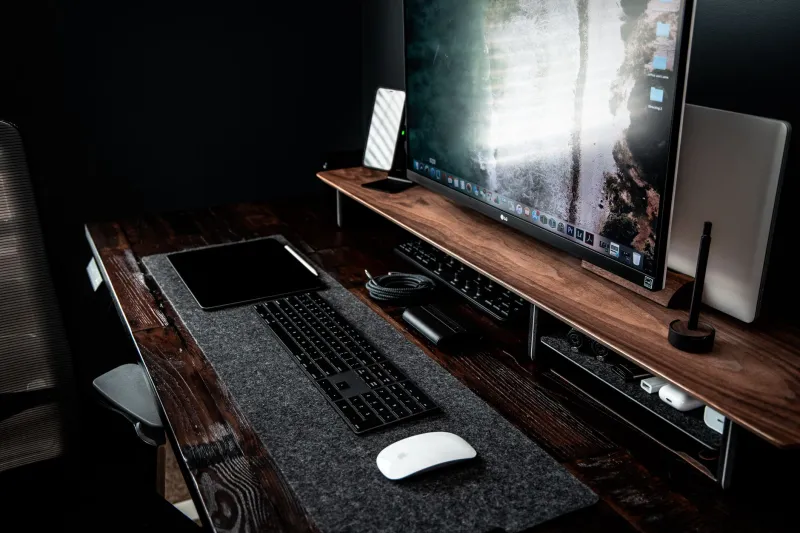
The promise of the docked portable PC is one of the most seductive ideas in personal computing. One device. One ecosystem. Carry it in your pocket on the way to a coffee shop, then slide it into a dock at your desk and suddenly you've got a full keyboard, a 27-inch monitor, and a wired Ethernet connection. No compromises, no syncing between devices, no wondering which version of the document is the real one.
In 2025, the hardware to make this happen is genuinely impressive. USB4 and Thunderbolt 4 docks have gotten cheaper. ARM-based Windows handhelds are more capable than ever. And a handful of Android-based pocket PCs have desktop modes that are almost convincing. Almost.
But here's the thing: "almost" is doing a lot of heavy lifting in that sentence. Let's talk about where the cracks are — and where, for specific users, the docked portable PC has actually crossed the threshold into genuinely viable.
What the Hardware Can (and Can't) Do
Modern pocket PCs have made remarkable strides in raw processing power. Devices running Qualcomm's Snapdragon X series chips or AMD's Z-series processors can handle tasks that would have required a full laptop just two years ago. Connect one of these to a decent dock, and on paper you've got a machine capable of driving multiple displays, pushing USB peripherals, and handling serious workloads.
The problem isn't the chip. It's the chassis around it.
Thermal throttling is the elephant in the room that nobody in the marketing department wants to talk about. A handheld device is designed to be small. Small means less surface area for heat dissipation. Less surface area means the processor starts cooking itself faster under sustained load. The chip in your pocket PC might be rated for impressive sustained performance figures — but those figures were measured in a lab environment, not inside a device the size of a deck of cards with a battery pressed against the motherboard.
When you dock a pocket PC and throw real desktop workloads at it — video encoding, large spreadsheet calculations, compiling code — you will often see performance drop significantly within 10 to 20 minutes as the device throttles to protect itself. The dock itself sometimes makes this worse, not better, because the device is now sitting stationary rather than being held in airflow.
Some manufacturers are addressing this with docks that include active cooling. Valve's approach with the Steam Deck's official dock, for example, keeps the device from sitting on a fully enclosed surface. Third-party docks with integrated fans exist for some Windows handhelds. These help, but they also add cost, complexity, and the kind of fan noise that makes your open-plan office coworkers hate you.
The Software Gap Nobody Warned You About
Hardware aside, the software story for docked portable computing is genuinely inconsistent in 2025.
Windows on ARM has improved dramatically, but app compatibility is still not perfect. Some legacy x86 applications run through emulation with a performance overhead that's tolerable on a beefy laptop but noticeably painful on a handheld running at throttled speeds. If your workflow depends on specific professional software — certain audio production tools, older engineering applications, niche industry programs — you need to verify compatibility before committing to a portable-first setup.
Android's desktop mode, available on Samsung DeX-capable devices and a handful of others, is genuinely usable for light work. Writing, email, web browsing, and basic document editing all function well. But the moment you try to do something that requires real desktop software — a full version of Photoshop, a complex Excel model with lots of macros, anything involving local database management — you'll hit walls that no amount of hardware can fix. Android was not designed for this use case, and the seams show.
Chromebook-style pocket PCs running ChromeOS have arguably the most honest desktop mode story: the software is built around the idea of a simplified, cloud-dependent workflow, and within those constraints it works well. But if you're considering ChromeOS as your docked desktop replacement, you already know what you're signing up for.
Real People, Real Workflows
We talked to several users who've gone all-in on the docked portable setup — with mixed results.
Jamie, a freelance writer based in Austin, has been using a Windows handheld as her only computer for eight months. "For what I do — writing, research, video calls — it's genuinely fine," she told us. "I dock it at home, use it portable when I travel. The only thing I've noticed is that the fan gets loud when I'm on a long video call while also running a bunch of browser tabs."
Marcus, a software developer in Seattle, tried the same approach and lasted three weeks. "The compile times were just too slow once the device started throttling. I went back to a laptop. I still carry the handheld for travel, but it's not my primary machine anymore."
That split — works great for content consumption and light productivity, struggles with sustained compute-heavy work — came up repeatedly in our conversations.
Where It Actually Works in 2025
To be fair to the technology, there are specific use cases where the docked pocket PC has genuinely crossed the line from "impressive demo" to "daily driver."
Remote and cloud-based work is the biggest one. If your actual computing happens on a remote server or in a browser — think web developers using cloud IDEs, salespeople living in CRM software, writers using cloud-based tools — the pocket PC dock setup is legitimately excellent. The local device is mostly just a display and input relay, and handheld chips are more than capable of handling that.
Presentations and travel-heavy roles are another strong fit. Carrying one device instead of a laptop plus a phone is a real quality-of-life improvement for people who spend a lot of time in airports and hotels.
Light creative work — writing, photo culling, basic video review — works well on most current devices without hitting thermal limits.
The use cases that still struggle: video encoding, 3D rendering, sustained gaming at high settings, large-dataset analysis, and anything requiring specialized hardware peripherals that lack portable drivers.
The Verdict
Docked portable computing in 2025 is not a replacement for a desktop. It's not even a replacement for a mid-range laptop for most power users. But it's a genuinely compelling option for a specific type of person: someone whose work is primarily cloud-based or document-centric, who values carrying one device over maximizing raw performance, and who understands the thermal and software limitations going in.
The gap is closing. Faster than most people expected, honestly. But it hasn't closed yet. Know your workflow before you make the leap — and maybe keep that old laptop around for a few months, just in case.