Buttons Matter More Than Benchmarks: The Science of How Your Handheld Inputs Actually Feel
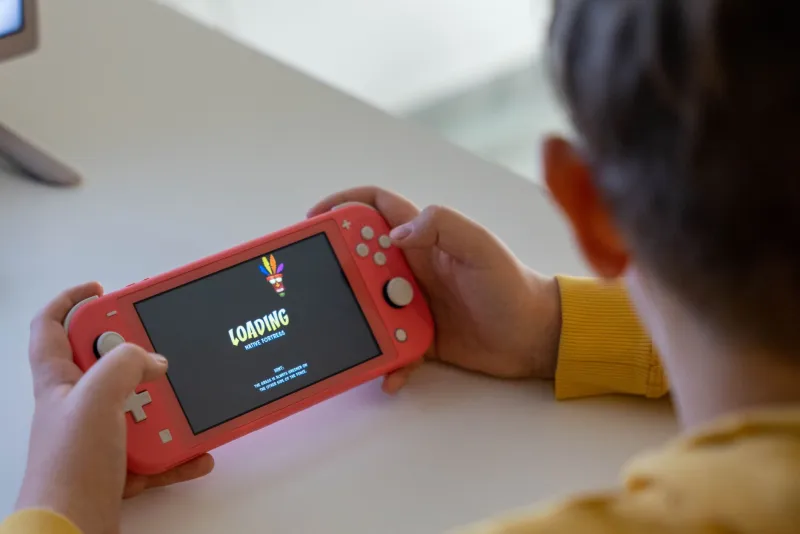
Here's a scenario that probably sounds familiar. You pick up a new handheld, run the benchmarks, and the numbers are great. Then you actually sit down and play something for an hour, and something feels... off. The inputs aren't quite clicking with you. Your thumbs get tired faster than expected. You're missing button presses you know you shouldn't be missing.
The problem almost certainly isn't your processor. It's your buttons.
Input technology is one of the most under-discussed aspects of handheld device design, and it has an outsized effect on how a device actually feels to use day after day. Whether you're gaming, navigating a productivity app, or just scrolling through a menu, the physical interface between your hands and your device shapes the entire experience. Let's dig into why.
Two Technologies, Very Different Feelings
At the most basic level, handheld devices use one of two approaches to physical button input: mechanical switches or capacitive sensors.
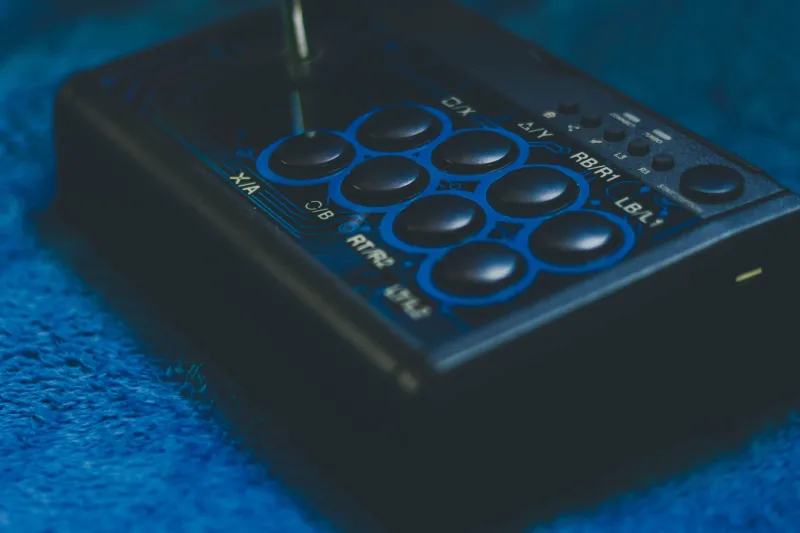
Mechanical buttons work the way the name suggests. You press a physical switch, it travels a defined distance, crosses an actuation point, and sends a signal. The feedback is tactile — you feel and often hear the moment the input registers. Classic console controllers have used variations on this approach for decades, and for good reason: the feedback loop between your finger and the device is immediate and unambiguous.
Capacitive buttons, by contrast, detect the electrical properties of your skin rather than physical movement. They're common in touchscreens, but they've also appeared in some handheld designs as dedicated buttons and even as analog stick caps with touch sensitivity built in. They can register input with essentially zero travel distance, which sounds like an advantage until you realize that the absence of tactile feedback creates its own set of problems.
Hands On: What the Difference Actually Feels Like
Spending time with several popular handhelds side by side makes the contrast immediately apparent, even if you've never thought consciously about button technology before.
Devices that use higher-quality mechanical switches — the kind with a defined actuation force and a crisp tactile bump — reward precise input. You develop muscle memory quickly because your fingers get consistent feedback every time. During fast-paced gaming sessions, this translates to fewer missed inputs and less mental overhead. You stop thinking about whether your button press registered and start thinking about what you're actually doing.
Devices that use softer, mushier membrane-style buttons — technically a form of mechanical switch but with a much less defined actuation point — require more force and more deliberate pressing to feel confident. Over a long session, that extra effort accumulates. Your thumbs fatigue faster. You start pressing harder than you need to, which compounds the problem.
Capacitive implementations are trickier to evaluate because they vary enormously in execution. A well-tuned capacitive input can feel surprisingly responsive, but the lack of physical feedback means your brain never fully trusts it. You find yourself glancing at the screen to confirm inputs registered rather than relying on feel. In any situation where you need to act quickly without looking — which describes most gaming scenarios — that's a real liability.
The Latency Question Nobody Talks About
Raw button feel is subjective, but latency is measurable, and it's where input technology gets genuinely interesting from a technical standpoint.
Mechanical switches have essentially zero latency between actuation and signal. The physics are simple: switch closes, circuit completes, signal fires. The limiting factor is how fast the device's firmware polls for input, which on modern handhelds is typically fast enough that the switch itself is never the bottleneck.
Capacitive inputs introduce a processing step. The sensor has to detect a change in electrical properties, interpret it, and decide whether it represents an intentional input or incidental contact. Most implementations do this well enough that the latency is imperceptible in casual use. But in competitive gaming contexts, or in any application where timing precision matters, even a few milliseconds of additional processing can translate to real-world consequences.
This is one reason why the handheld gaming community has remained deeply attached to traditional mechanical button layouts even as touchscreens have taken over almost everything else in consumer electronics. The physics of a mechanical switch are just inherently better suited to the demands of fast, precise input.
Analog Sticks Are Their Own Conversation
Buttons are only part of the input story. Analog sticks introduce a whole additional layer of complexity, and this is where handheld manufacturers show the widest variation in quality.
The tension in a stick — how much resistance it provides as you push it away from center — has a dramatic effect on precision. Too loose and fine movements become difficult to control accurately. Too stiff and extended use becomes fatiguing. The sweet spot is narrow, and different users genuinely prefer different points on the spectrum, which is part of why controller modding communities dedicated to spring swaps and tension adjustments have always existed.
Deadzone calibration is another factor that varies significantly between devices. A large deadzone means your stick has to travel a meaningful distance before the device registers any input, which makes subtle movements feel sluggish. A deadzone that's too small introduces unintended drift. Finding the right balance requires careful tuning, and not every manufacturer gets it right out of the box — or provides users with the tools to adjust it themselves.
What to Look For Before You Buy
If you're evaluating handhelds and input quality matters to you — and it should — a few practical considerations are worth keeping in mind.
Actuation force specs are rarely published, but hands-on reviews that specifically address button feel are worth seeking out. Communities around specific devices often develop a shared vocabulary for describing input quality that's more useful than anything in a press release.
Look for information about the switch type used. Hall effect sensors in analog sticks, for example, are significantly more durable and drift-resistant than the potentiometer-based designs used in most budget and mid-range handhelds. Some manufacturers highlight this as a selling point; others don't mention it at all.
And if you can, try before you buy. No amount of spec-reading substitutes for twenty minutes of actual use. Your hands will tell you things the benchmarks never will.